How do you set up a couch controller for the first time?
author: NewEasy-C
2024-04-28

In today's era of smart furniture, the Multi-Functional Couch Controller has revolutionized the way we relax at home. Whether you are looking to adjust your couch's positioning, access various in-built features, or simply want to control it through voice commands, setting up your couch controller for the first time is a breeze. Here’s everything you need to know about initializing your couch controller, brought to you by the experts at NewEasy-C, leaders in customized smart furniture solutions.
Step 1: Download the App
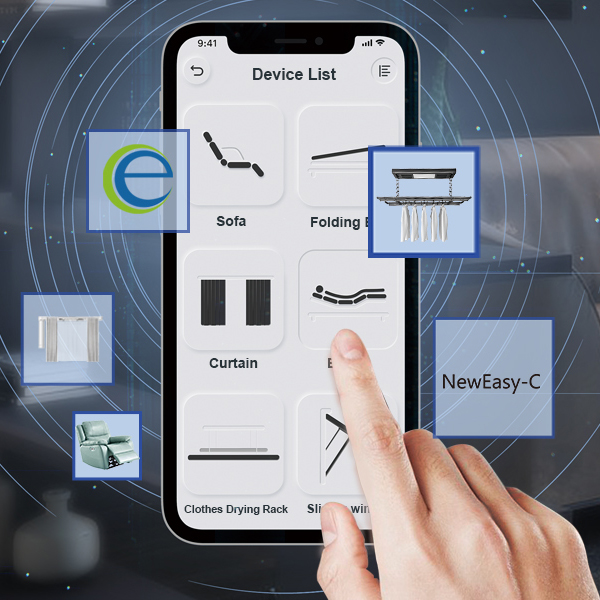
The journey to maximizing your comfort begins with a simple step - downloading the dedicated app. Most advanced couch controllers, including those designed by NewEasy-C, support app-based controls, offering an intuitive interface for users. This app serves as the key to unlock an array of features to enhance your relaxation experience. Just head to your smartphone's app store, search for the app associated with your couch controller, and install it.
Step 2: Connect to the Couch Controller
Once the app is installed, open it and bring your smartphone close to the couch controller. The app will automatically detect the controller and initiate a connection. Follow the on-screen instructions to successfully connect your smartphone to the couch controller. This seamless integration is what makes Multi-Functional Couch Controllers a game-changer in smart homes.
Step 3: Explore the Multi-functional Controls
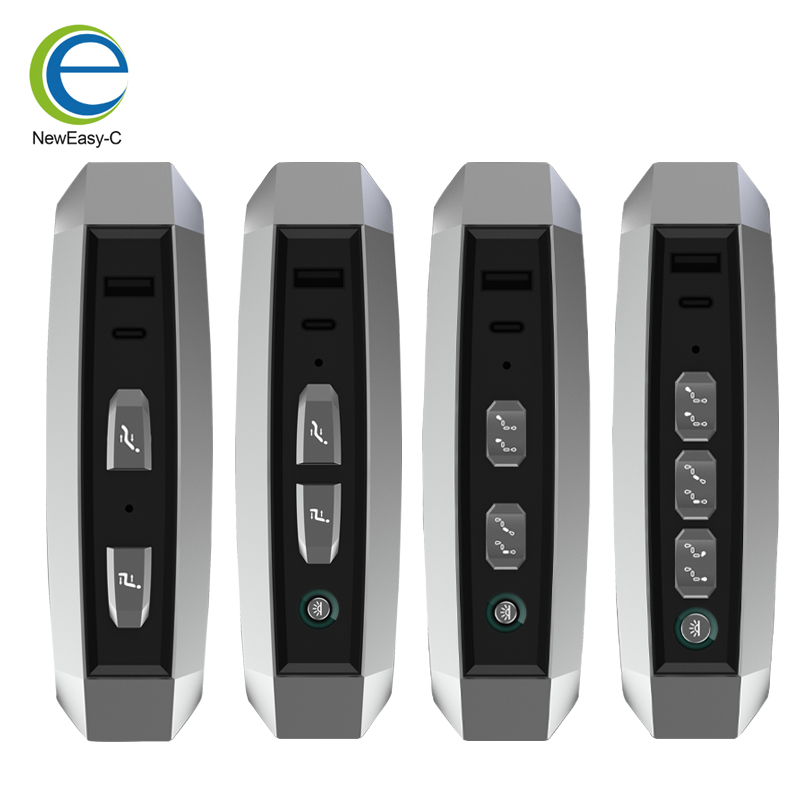
After establishing a connection, it's time to dive into the plethora of features your couch offers. Due to the limitations of physical buttons, the app will likely present you with more control options, unlocking the full potential of your couch. From adjusting recline angles to activating massage features, the app ensures that every comfort is just a tap away. Don't forget to experiment with both short and long presses to discover various settings and functionalities.
Step 4: Voice Controls and Customization
For couch controllers supporting voice commands, identifying the wake word is essential. This can usually be found in the user manual or within the app. In addition to using the default wake word, most systems, including those from NewEasy-C, allow you to personalize this wake word to something you're more comfortable with. Voice control adds a layer of convenience, enabling you to adjust your couch settings hands-free, a perfect feature for when you're fully immersed in relaxation or entertainment.
Why Choose NewEasy-C?
At NewEasy-C, we pride ourselves on offering customized smart furniture solutions that fit every need. From software programming to product assembly, we ensure that your couch controller is tailored to your specifications. Our commitment to quality and innovation means that every Multi-Functional Couch Controller we produce meets the highest standards of convenience and reliability. For more information or to kickstart your journey to ultimate comfort, visit our website and get in touch.
Remember, the key to maximizing your home's comfort potential lies within a well-set-up couch controller. Follow these steps and embark on a journey of relaxation and smart living. Welcome to the future of home comfort, enabled by NewEasy-C.
We believe that transparent communication is the cornerstone of long-term trusting relationships. All product details, user guides and FAQs are clearly visible on our website. If you can't find your answer in these resources, don't hesitate to contact us today. We promise to provide you with not only products, but also peace of mind and trust.
Can a sofa controller save the way you like to sit?
What Should You Look for When Choosing the Perfect Sofa Controller?
Related Article

The emergence of "smart couches" is redefining comfort, functionality, and entertainment within our homes. But what exactly is a smart couch?
What is a Smart Couch?

A smart sofa bed represents an evolution in home furniture, blending technology with comfort and style.
What is a Smart Sofa Bed?